.png)
How to Connect Your Instagram Professional Account to a Meta Ad Account
Connecting your Instagram professional account to a Meta ad account lets you run ads directly from Instagram and use Meta’s ad tools across both Facebook and Instagram.
Once connected, your Meta ad account’s payment method and ad settings will automatically sync with Instagram.
Before You Start
Before connecting your accounts, make sure:
- Your Instagram account is already set up as a professional account
- You have access to the Meta ad account you want to use
- Any active ads running through a non-Meta ad account are paused first
Important: Once you switch from a non-Meta ad account to a Meta ad account, you can’t switch back. You’ll also lose access to ads created with the old account.
Connect Your Instagram Account to a Meta Ad Account
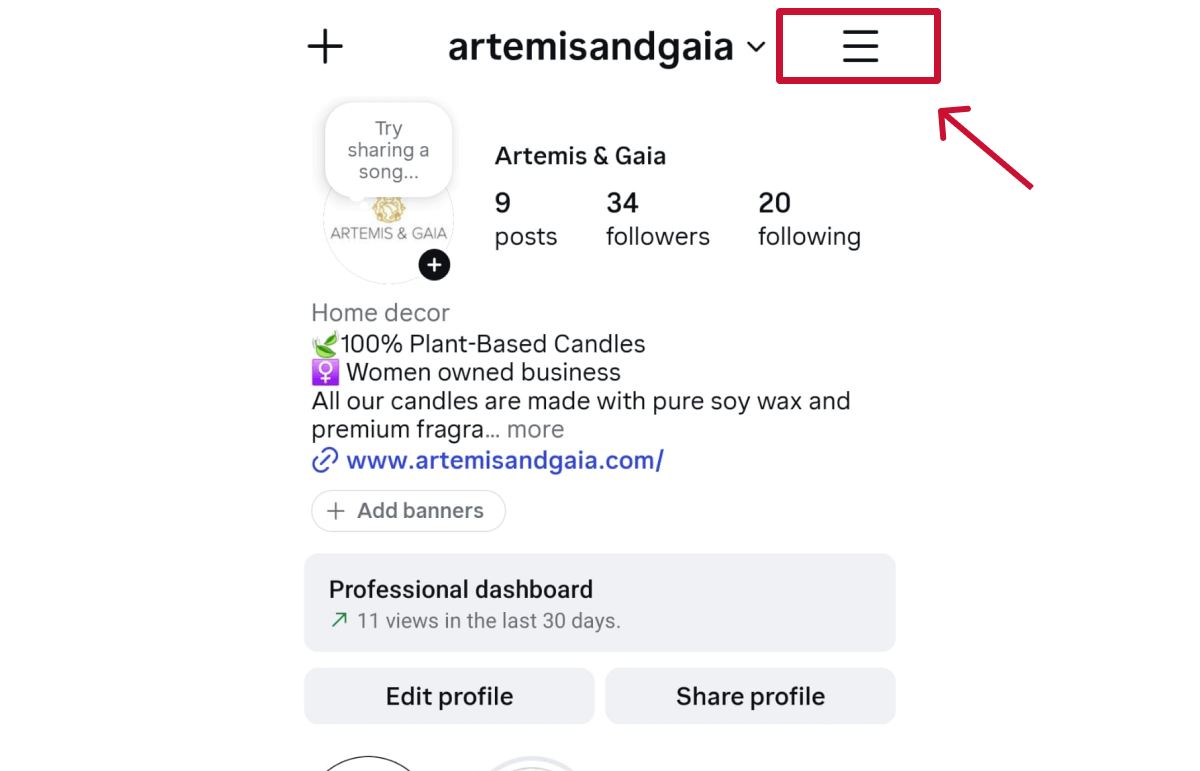
Step 1. Open Instagram and go to your profile.
Step 2. Tap the Menu icon in the top-right corner.
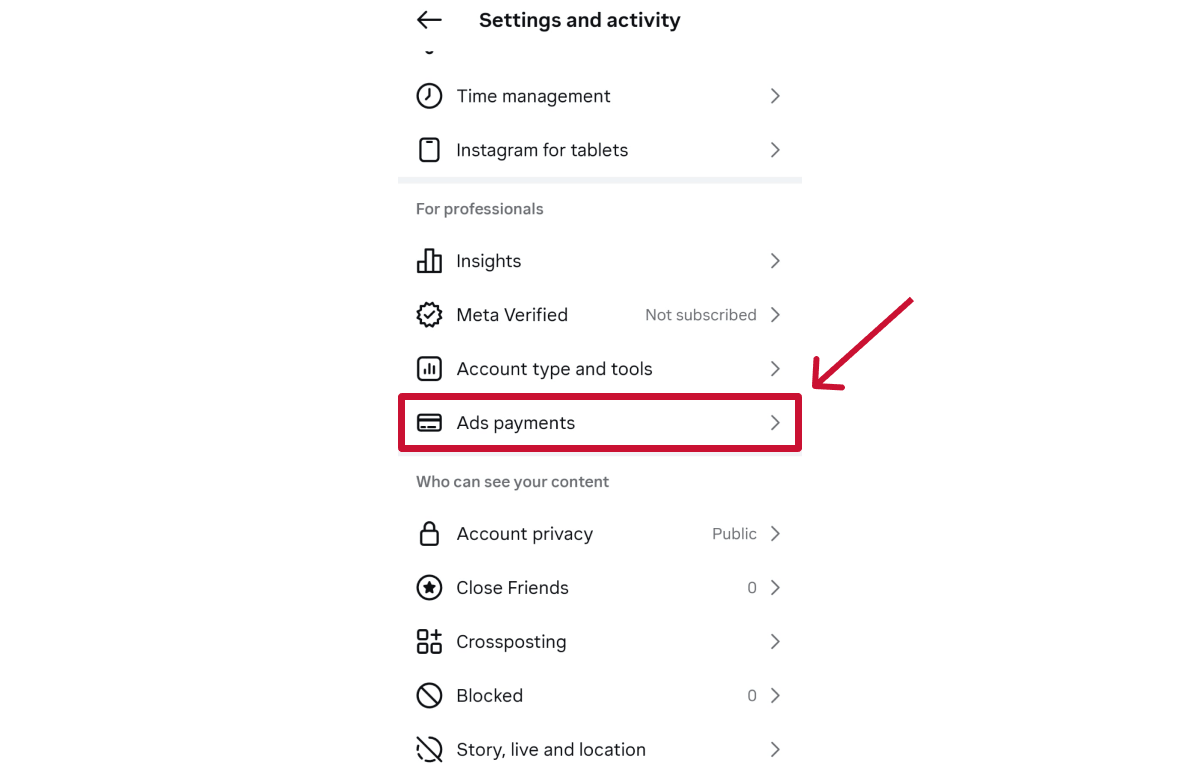
Step 3. Under For professionals, tap “Ads payments.”
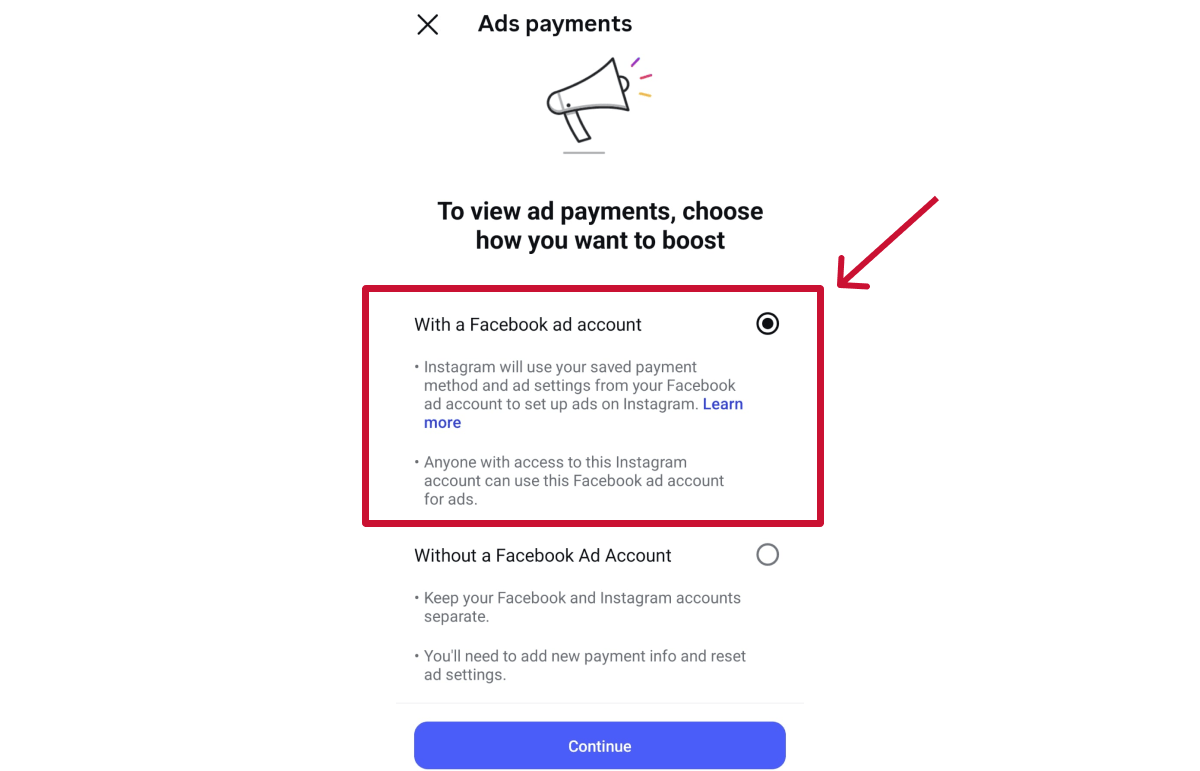
Step 4. Tap “With a Facebook ad account.”
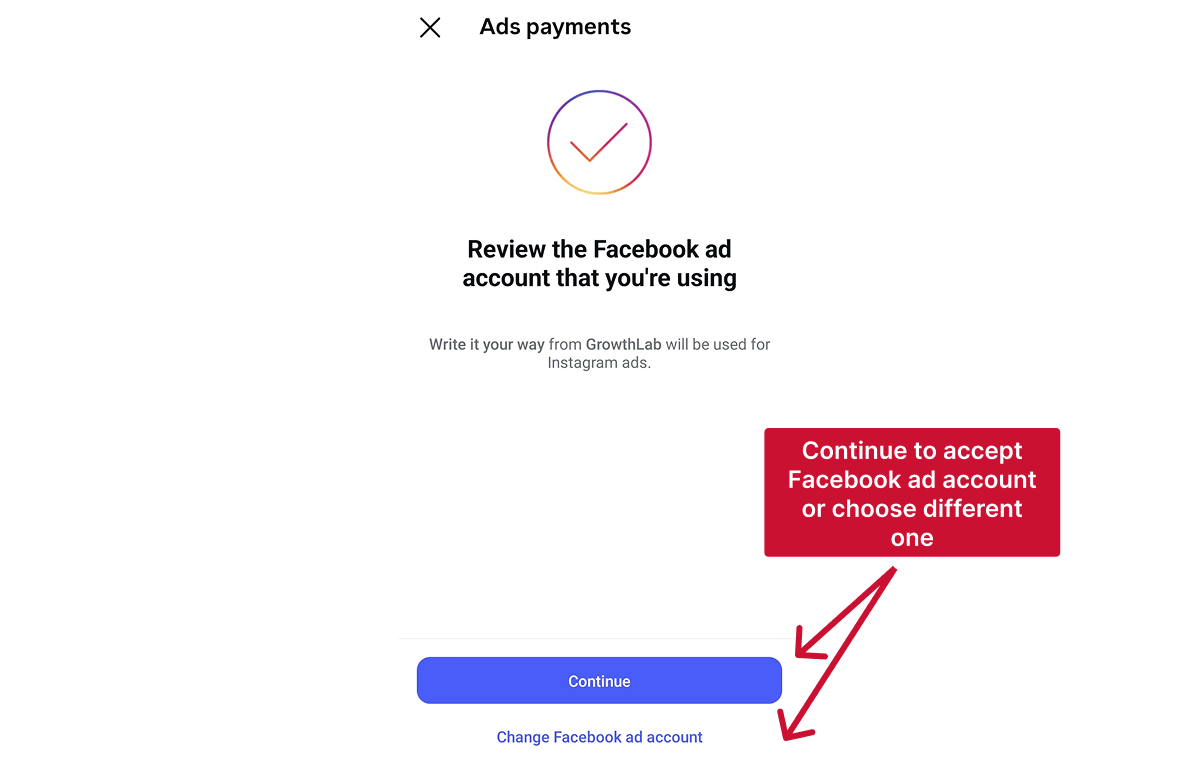
Step 5. Review the Meta ad account shown on screen.
If needed, tap “Change Facebook ad account” to choose a different one.
Otherwise, tap “Continue” to connect the account.
Once connected, you’ll also have the option to review or update your payment details each time you boost a post,
How to Switch to a Different Meta Ad Account Later
If you want to connect a different ad account later:
Step 1. Go to Settings
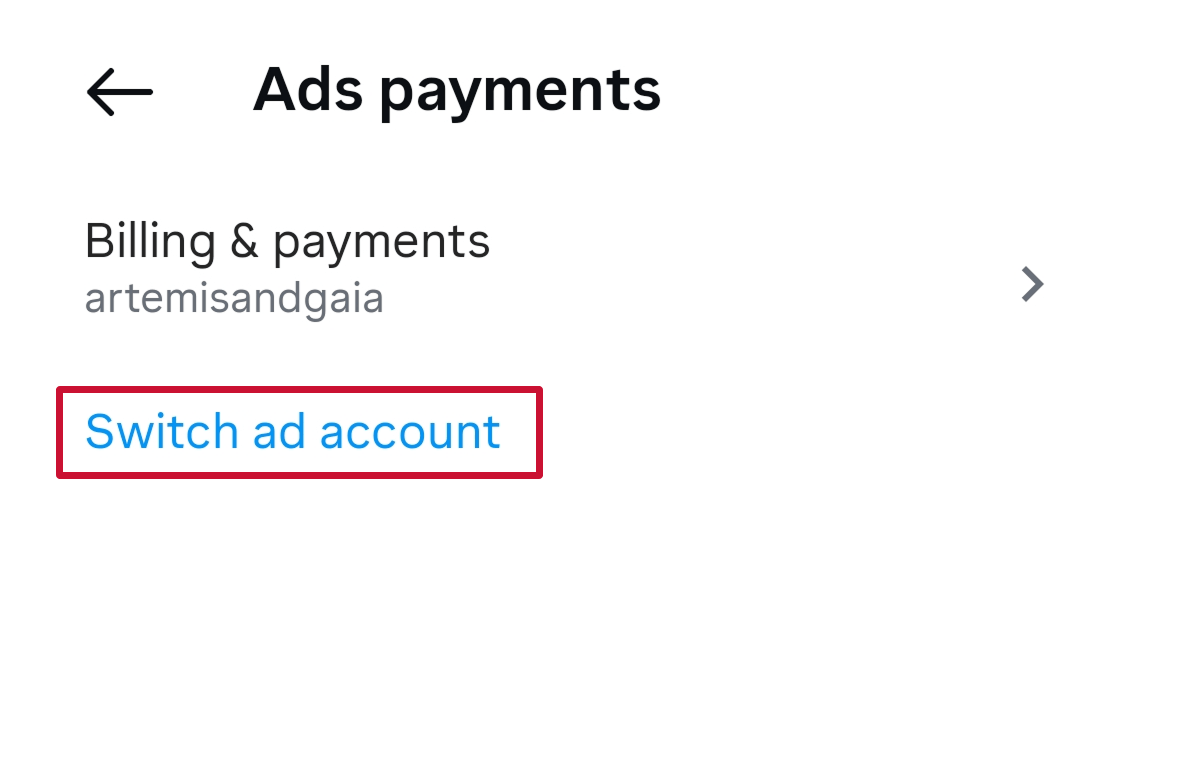
Step 2. Tap “Ads payments”
Step 3. Tap “Switch ad account”
Step 4. Follow the prompts to connect another Meta ad account
🔗 Related articles